10 WordPress Maintenance Services Marketing Teams Need
Marketing teams spend thousands every month driving traffic to their website. SEO campaigns, Google Ads, email sequences, and social media. All of it points to one place.
Your WordPress website.
When that website breaks, slows down, or quietly stops capturing leads, every dollar behind those campaigns is wasted.
Most WordPress maintenance plans are built for developers and IT teams. They cover updates and backups but ignore the things marketing teams actually depend on: form submissions, tracking integrity, and campaign-ready staging environments.
Below are 10 WordPress maintenance services marketing teams need. Not just to keep the site running, but to keep it converting.
Table of Contents
- 1. WordPress Core, Theme, and Plugin Updates
- 2. Security Monitoring and Malware Removal
- 3. Uptime Monitoring and Incident Response
- 4. Performance Optimisation and Core Web Vitals
- 5. Backup and Disaster Recovery
- 6. Form and Conversion Tracking Integrity
- 7. Staging Environment and Content Deployment
- 8. CMS User Management and Access Controls
- 9. SEO and Technical Health Monitoring
- 10. Monthly Reporting and Performance Reviews
- How to Choose a WordPress Maintenance Plan
- What WordPress Maintenance Costs in Australia
- How WP Creative Supports Marketing Teams
- FAQs on WordPress Maintenance Services
- Your Website Is a Revenue Asset. Treat It Like One.
1. WordPress Core, Theme, and Plugin Updates

Get Your Free Website Audit
($3,000 Value)
- Uncover performance issues
- Identify SEO opportunities
- Security gaps, and quick wins
Every form submission, every tracking pixel, every landing page layout sits on top of WordPress core, a theme, and a collection of plugins. When any of these layers update, the things marketing teams depend on can break without warning.
Common ways updates affect campaigns:
- A form plugin update, and the conditional logic stops working. Leads stop arriving, but the form still looks fine on the page.
- A theme change breaks the layout on a high-traffic landing page mid-campaign.
- A core update conflicts with GA4 tracking code. Conversions stop recording for days before anyone notices.
- A PHP version upgrade by your hosting provider breaks older plugins overnight.
- Plugin conflicts between form builders, tracking scripts, and page builders cause silent failures that do not show up until leads stop arriving.
The damage is not the update itself. It is the gap between when something breaks and when someone catches it. For a site running paid campaigns, that gap is measured in wasted ad spend and lost pipeline.
What this looks like when it is done properly:
- Updates applied on a defined schedule, not ad hoc
- Every change tested in a staging environment before it touches the live site
- Forms, tracking scripts, and conversion paths verified after every update cycle
- Visual regression checks run across desktop and mobile
- A rollback process ready, so a bad update can be reversed within minutes
2. Security Monitoring and Malware Removal
WordPress is the most popular CMS in the world. That also makes it the most targeted by attackers. Outdated plugins, weak passwords, and unpatched security vulnerabilities are the three most common entry points.
When a site gets compromised, marketing teams feel the impact first:
- Google flags it with a “This site may be compromised” warning. Organic traffic drops immediately.
- Google Ads get disapproved. Getting them re-approved can take days.
- Visitors see a browser warning and leave. They will not come back.
- Brand reputation takes a hit that lasts months.
Under Australia’s updated Privacy Act, a data breach also carries regulatory and financial consequences. For marketing teams collecting customer data through forms or eCommerce, the security risks are not just reputational.
Ask your website maintenance services provider:
- Is firewall protection in place and actively managed?
- Are SSL certificates and domain expiry dates monitored?
- When a vulnerability is disclosed, how quickly are critical security patches applied? Hours or days?
- Is spam filtering active on forms, comments, and registration pages to prevent bot submissions from skewing your data?
- After a breach, is there a root cause analysis, or just a backup restore?
A WordPress security plan that installs a plugin and calls it done is not keeping your WordPress site secure. Active monitoring, fast patching, and a defined incident response process are the minimum.
3. Uptime Monitoring and Incident Response
Paid campaigns do not pause when your website goes down. The budget keeps spending. The leads never arrive.
What happens during an undetected outage:
- Google Ads keeps charging for every click that lands on an error page
- Scheduled email sends drive traffic to a page returning a 503
- Social posts link to a site that is not loading
- Organic rankings take a hit when Googlebot crawls during the downtime
Most businesses assume their hosting provider monitors this. Hosting companies track whether the server is running. But a server being online does not mean your landing page is loading, your form is submitting, or your checkout is working.
The standard your WordPress website maintenance provider should meet:
- Landing pages, form endpoints, and checkout flows monitored independently, not just the homepage
- Alerts triggered within minutes when availability drops
- Emergency support available with defined escalation processes, not just during business hours
- Documented response SLAs with resolution windows measured in minutes, not business days
- Post-incident root cause analysis so that the same failure does not repeat
Without page-level monitoring tied to your campaign URLs, downtime during a paid campaign window goes undetected until the performance report looks wrong days later.
4. Performance Optimisation and Core Web Vitals
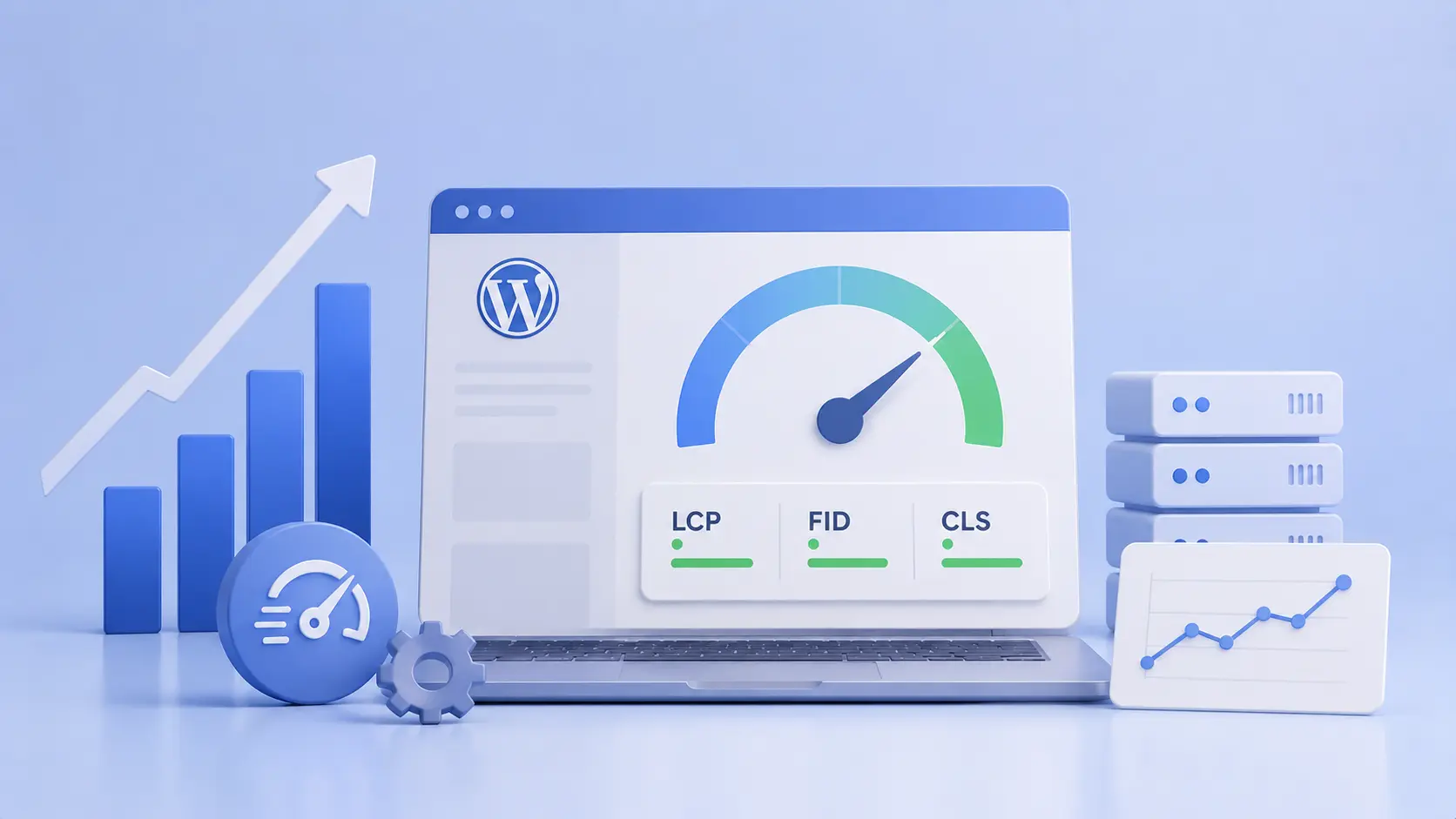
Google uses Core Web Vitals as a ranking signal. Slower pages do not just frustrate visitors. They increase cost per acquisition across every paid channel.
According to a Google and Deloitte study, a 0.1-second improvement in mobile site speed increased conversion rates by 8.4% for retail sites and 10.1% for travel sites.
Performance degrades over time. A site that loaded in 1.5 seconds at launch can drift to 4 seconds within a year. Here is how:
- New plugins get added with each campaign or feature request
- Blog posts and landing pages accumulate uncompressed images
- Third-party marketing scripts pile up: pixels, chat widgets, heatmaps, tag containers
- The database grows with post revisions, spam comments, and transient data
According to Hostinger, 53% of mobile visitors abandon a page that takes longer than 3 seconds to load, making performance optimisation more important than ever.
What this looks like when it is done properly:
- Monthly Core Web Vitals tracking with documented scores
- Image compression and lazy loading applied to new and existing content
- Caching configured at both browser and server level
- Database cleanup on a regular schedule
- CDN configuration optimised for Australian audiences
- Alerts when performance scores degrade after a plugin install or content change
- Third-party script auditing so marketing tags do not quietly add seconds to load time
5. Backup and Disaster Recovery
Backups are the most undervalued maintenance service. Every business assumes they have them. Most discover the gaps only when a restore is actually needed.

Slow website wasting your marketing spend?
- Uncover performance issues
- Identify SEO opportunities
- Security gaps, and quick wins
We have seen businesses lose weeks of landing page work, form configurations, and tracking setups to a single server failure. The rebuild cost in time alone exceeded $15,000. A tested backup process would have resolved it in hours.
What is actually at risk:
- Landing pages built and tested over weeks for specific campaigns
- Form configurations with conditional logic, CRM mappings, and notification rules
- Tracking setups including GTM containers, GA4 events, and pixel configurations
- Blog content driving organic traffic that took months to build
- Customer data collected through forms, orders, and account registrations
Four questions to ask your WordPress maintenance provider:
- How recent is the latest backup? Daily is the minimum for any site running campaigns.
- Where are backups stored? They must be off-site, not on the same server.
- Have restores been tested? An untested backup is not a real backup.
- How long would a full restore take? Two to four hours should be the target.
Without tested off-site backups and a defined recovery time, a server failure means rebuilding your entire conversion infrastructure from scratch while campaigns continue spending into a dead page.
6. Form and Conversion Tracking Integrity
Every lead your marketing team generates flows through a form or a tracked conversion event on the WordPress site. Contact enquiries. Demo requests. Quote submissions. Newsletter signups. Checkout completions.
When any of these break, the pipeline stops filling. And the data goes dark.
Forms break silently.
A plugin update changes a field mapping. Submissions route to an inbox nobody monitors. Conditional logic stops firing. The form still renders on the page. It still looks fine.
Leads, however, stop arriving.
We have seen a client’s enquiry form break after a routine update and go unnoticed for 9 days. The form looked perfect. Submissions were not reaching the CRM. By the time the gap was identified, the pipeline had already lost an estimated 40+ qualified leads.
Conversion tracking is just as fragile.
- Google Tag Manager containers get overwritten during theme updates
- GA4 event tags stop firing without warning
- UTM parameters stop passing through to thank-you pages
- CRM integrations with HubSpot or Salesforce lose sync after API changes
- Email platform connections with Klaviyo or Mailchimp stop passing subscriber data
Attribution models fall apart. Campaigns get paused or budgets shifted based on data that was never accurate to begin with.
The standard your provider should meet:
- Form submission volume monitored for anomalies like sudden drops or error spikes
- Tracking codes validated after every update cycle, not just at launch
- CRM and email platform integrations verified on an ongoing basis
- Marketing team alerted immediately when something changes
- Conversion paths tested end-to-end as part of regular maintenance
Most WordPress maintenance packages do not include form or tracking monitoring. They should. A plan that ignores the conversion layer is protecting the infrastructure but not the investment that depends on it.
7. Staging Environment and Content Deployment
Marketing teams push content changes constantly. Campaign landing pages. Updated pricing. Seasonal offers. Blog posts with embedded CTAs.
Each change carries a small risk of breaking something on the live site:
- A new landing page conflicts with an existing plugin
- A pricing update breaks the layout on mobile
- A blog post CTA links to a page that no longer exists
Without a staging environment, every content change goes directly to production.
What a staging environment gives your marketing team:
- A private copy of the website to test changes safely before they go live
- The ability to preview new campaign pages exactly as they will appear
- Confidence that a content push will not break existing pages or conversion flows
- Support for approval workflows so drafts are reviewed before publishing
A provider that does not include staging as standard is asking you to accept unnecessary risk with every content change.
8. CMS User Management and Access Controls

Marketing teams work with more external partners than most other departments. Freelance copywriters. PPC agencies. SEO consultants. Design contractors. Each one needs some level of WordPress access.
Over time, those accounts accumulate:
- Former employees retain admin credentials
- Freelancers from two years ago can still log in
- Agency partners hold editor permissions they no longer need
- Shared logins make it impossible to track who changed what
Ask your provider:
- When was the last user access audit conducted?
- Are role-based controls enforced?
- Is two-factor authentication enforced across all accounts?
- Is there a defined onboarding and offboarding process?
A WordPress site with 15 active user accounts and no access review in the past 12 months is an open door. The maintenance plan should close it.
9. SEO and Technical Health Monitoring
Content, backlinks, and keyword strategy can take months to build. A single technical issue on the WordPress site can undermine all of it without anyone noticing until rankings have already dropped.
Common technical issues that erode organic performance:
- Redirect chains building up over months, diluting the ranking power of your strongest pages
- Orphan pages appearing when someone removes a menu link but leaves the page live
- A noindex tag added during staging that gets forgotten before go-live
- A plugin update quietly changing the XML sitemap structure
- Broken internal links spreading across the site as pages get restructured
Technical SEO monitoring is not the same as an SEO strategy. Content strategists and SEO agencies build the visibility. Technical maintenance protects it.
Monthly technical health checks should cover:
- Crawl errors and indexation issues
- Broken link detection and fixes across internal and external pages, with priority on key pages driving traffic and conversions
- Redirect chains and loops
- Missing or duplicate metadata
- Orphan pages with no internal links pointing to them
- XML sitemap accuracy
- Robots.txt configuration
A single noindex tag on a high-value landing page can wipe out months of organic growth. Regular monitoring catches these before they reach that point.
10. Monthly Reporting and Performance Reviews
A maintenance provider that works in the background and sends a monthly invoice is providing a subscription, not a service.
Marketing teams need visibility into what was done, what changed, and what it means for campaign performance.
A proper monthly report covers:
- Updates applied (core, plugins, themes), and whether any issues were encountered
- Security scans and results
- Uptime percentage and any downtime events
- Page speed benchmarks and Core Web Vitals trends
- Backup confirmations and restore test results
- Issues flagged, resolved, or escalated
A 40-page PDF that nobody reads adds no value. A focused 15-minute monthly review covering what happened, what is coming, and what needs attention is far more effective.
But reporting alone is not enough. The real value is in what comes after:
- What do the numbers mean for campaign performance?
- What should be prioritised next month?
- Where are the opportunities the marketing team has not spotted yet?
A provider that tells you what they did last month is a vendor. A provider that tells you what it means and what to do next is a partner.
How to Choose a WordPress Maintenance Plan
Most professional WordPress maintenance service providers cover updates and backups, then stop. Marketing teams need more.
When evaluating providers, look for:
- Staging environments included: Without staging, every change goes directly to the live site.
- Form and tracking monitoring: Ask about it specifically. If the provider does not offer it, the plan was not designed with marketing teams in mind.
- Defined SLAs: Response and resolution times should be documented. “We’ll get to it as soon as possible” is not an SLA.
- Monthly reporting with context: A list of plugins updated is not a report. Look for performance trends and forward-looking recommendations.
- Proactive monitoring: If you are always the one raising issues, the monitoring is not doing its job.
- Marketing awareness: Ask how they handle conversion tracking, form monitoring, and campaign-critical page changes. If the answer is vague, the plan does not cover what marketing teams need.
- No lock-in contracts: The best WordPress maintenance providers earn your loyalty through results, not contract terms. Look for month-to-month plans with clear SLAs.
What WordPress Maintenance Costs in Australia
Website maintenance costs in Australia vary depending on scope, site complexity, and level of support.
| Plan Level | Typical Monthly Cost | Usually Included |
|---|---|---|
| Basic | $100 – $300 | Core, plugin, and theme updates, daily backups, and uptime monitoring |
| Mid-range | $500 – $1,500 | Above + performance optimisation, security hardening, staging environment, monthly reporting |
| Premium | $1,500 – $5,000 | Above + dedicated support hours, priority response SLAs, form and tracking monitoring, CRO support, technical SEO |
| Enterprise | $5,000 – $10,000+ | Above + dedicated web performance team, custom integrations, advanced analytics monitoring, proactive strategy sessions |
The cost of maintenance is always relative to the cost of not maintaining.
- A hacked site can cost $5,000 to $20,000 to clean and recover
- One day of downtime during a paid campaign can burn hundreds to thousands in wasted ad spend
- An unnoticed broken contact form can cost dozens of qualified leads in a single week
For marketing teams running active campaigns, the question is not whether maintenance is worth the investment. It is whether operating without it is a risk you can afford.
How WP Creative Supports Marketing Teams
Every WordPress maintenance service on this list is part of how WP Creative works with its clients. Not as add-ons or upsells, but as integrated components of a maintenance partnership built around marketing performance.
WP Creative’s Marketechs™ model combines marketing strategy with technical WordPress execution. Care plans are structured around the services marketing teams actually depend on: form integrity, tracking accuracy, site speed, technical SEO, and proactive reporting.
If your current setup does not cover the services on this list, it is worth having that conversation with your provider. Or with us.
FAQs on WordPress Maintenance Services
What is included in a WordPress maintenance plan?
A standard plan covers core, plugin and theme updates, daily backups, security monitoring, uptime monitoring, and basic performance checks. More comprehensive WordPress maintenance plans add staging environments, priority support, technical SEO audits, and conversion tracking monitoring.
How often should WordPress be updated?
Core, plugins, and themes should be reviewed and updated at least monthly. Security patches require immediate application. Every update should be tested in a staging environment before going live.
How often should WordPress maintenance be performed?
Regular maintenance should happen on a defined schedule, not only when something breaks. Updates and security checks should run weekly or fortnightly. Performance audits, broken link scans, and technical SEO health checks should happen monthly. Backups should run daily at a minimum. For sites running active paid campaigns, proactive maintenance on a weekly cadence is the safest approach to keep everything up to date and performing.
Do I need a maintenance service if I have managed hosting?
Managed hosting covers server-level tasks like PHP updates, server security, and infrastructure monitoring. WordPress-specific tasks like plugin updates, form monitoring, and technical SEO health checks sit outside that scope. Most marketing teams need both.
What happens if my WordPress site gets hacked?
A professional service will identify the breach, clean the malware, patch the exploited vulnerability, and restore the site from a clean backup. Without a plan in place, expect emergency WordPress developer rates of $150 to $300 per hour and recovery timelines of 24 to 72 hours.
Can a maintenance service help with page speed?
Yes. Performance optimisation is part of most mid-range and premium plans, covering image compression, caching, database optimisation, code minification, and ongoing Core Web Vitals monitoring.
How do I know if my contact form is broken?
Most businesses find out only when leads stop arriving. A maintenance service with submission monitoring can detect anomalies, like a sudden volume drop or error spike, and raise an alert before it becomes a pipeline problem.
Should marketing teams manage their own WordPress updates?
It depends on technical capability and risk tolerance. If the website is the primary lead generation channel and paid campaigns are running, the cost of a missed update or broken page far outweighs the cost of a professional plan. Most marketing teams get better results by outsourcing maintenance and staying focused on strategy and execution.
Your Website Is a Revenue Asset. Treat It Like One.
Marketing teams invest heavily to drive traffic. SEO, paid media, content, and email. All of it depends on the website working properly.
A WordPress maintenance plan is not an IT expense. It is marketing infrastructure that protects your pipeline, your data, and your ability to execute campaigns with confidence.
If your current setup does not cover the services on this list, it is worth having that conversation with your provider. Or with us.
Book a Free Site Audit, and we will show you exactly where your site stands today, what is working, and what needs attention.

Get Your Free Website Audit
($3,000 Value)
- Uncover performance issues
- Identify SEO opportunities
- Security gaps, and quick wins