How to Build a High-Converting WordPress Site in 2026
Every high-converting WordPress site we’ve built at WP Creative over the past 12 years has had the same things in common. Not the same theme. Not the same plugins. The same thinking behind them: clear goals, smart page structure, proof in the right places, and a habit of testing what works.
In this guide, we break down each of those steps so you can apply them when building a high-converting WordPress website of your own.
Table of Contents
- What Makes a WordPress Site High-Converting?
- Core Steps to Build a Conversion-Focused WordPress Site
- Key Comparison: High Converting Websites vs Low Converting Websites
- How to Choose a Conversion-Focused WordPress Agency
- Final Thoughts
- FAQs About High-Converting WordPress Site

Get Your Free Website Audit
($3,000 Value)
- Uncover performance issues
- Identify SEO opportunities
- Security gaps, and quick wins
Key Takeaways
- A high-converting WordPress site is built around architecture, not aesthetics.
- One clear conversion goal per page. Too many options mean no action.
- Trust signals belong near your CTAs, not buried in the footer.
- Speed directly impacts conversions. Every second beyond 2 seconds costs you.
- The best-performing sites track weekly, test monthly, and audit quarterly.
- In 2026, building for AI-referred traffic is an early advantage worth investing in.
What Makes a WordPress Site High-Converting?
A high-converting WordPress site is more than a good-looking design. It’s built around the visitor’s journey, guiding people from the moment they land on a page to the moment they take action, whether that’s submitting a form, making a purchase, booking a call, or signing up.
Key elements of high-converting WordPress sites:
- Clear conversion goal: one primary action per page, not three competing CTAs
- Conversion-focused page structure: a deliberate section sequence that guides visitors to act
- Strong copy: headlines and messaging that answer “why should I care?”
- Trust signals: testimonials, case studies, reviews, security badges, and transparent contact details near every claim
- Fast performance: Site speed directly impacts whether visitors stay or leave
- Low-friction forms: short, smart, and placed where visitors are ready to act
- Tracking and optimisation: measuring what works and improving continuously
Core Steps to Build a Conversion-Focused WordPress Site
Building a WordPress site isn’t about one magic plugin or a trendy theme. It’s a set of decisions that work together, from how you define your goals to how you track results after launch.
In practice, conversion rate optimisation comes down to getting these core steps right. Below is what that process looks like.
1. Start With One Clear Conversion Goal

Before you build anything, get clear on what you actually want visitors to do. Not vaguely. Specifically.
Common conversion goals include:
- submitting a lead form
- making a phone call
- completing a purchase
- booking a demo or consultation
- signing up for an email list
The key is one primary business goal per page type. Your service page should drive enquiries. Your product page should drive purchases. A high-converting landing page for a campaign should do one thing and do it well.
When you try to give visitors five different things to do on a single page, they usually do none of them. One clear goal per page is the fastest way to convert visitors into leads or customers.
2. Know the Audience and Intent
A page that converts for one audience can completely miss with another.
Whether you’re building a lead generation website design or an eCommerce store, you need to map out your target audience before writing any copy or choosing a layout:
- who your visitor is
- what problem brought them to your site
- what objections are sitting in the back of their mind
- what action they’re most likely to take right now
All of that shapes your headline, your offer, your page layout, and even where you place the call to action.
For example, a visitor landing on a blog post is still researching. They’re not ready to “Book a Call” yet, but they might download a free guide. A visitor on your pricing page is a potential customer, much closer to a decision. The CTA there should match that intent.
3. Structure Pages for Conversion, Not Just Aesthetics
A page can look great and still not convert. What matters more than the visual design is the sequence of sections and how they guide a visitor from “I’m interested” to “I’m ready to act.”
We call it conversion architecture:
- Hero section: What you do, who it’s for, and what to do next. Your visitor should be able to answer all three within 3 seconds of landing on the page.
- Problem: Describe the visitor’s pain point in a way that feels familiar to them. You build trust before you pitch anything.
- Solution: How you solve it. Stay focused. Don’t list every service you offer.
- Proof: Testimonials, case study results, client logos. Place these immediately after your solution so the claim doesn’t just hang there.
- Process: Show how it works in 3 to 5 simple steps. Reducing perceived risk makes the next step feel easy.
- FAQ: Answer the objections your visitors aren’t saying out loud. Think of it as objection handling disguised as helpful content.
- Final CTA: Restate the value proposition and repeat the primary call to action.
Every section has a job. If a section doesn’t move the visitor closer to your conversion goal, it shouldn’t be on the page.
High-converting WordPress sites also go beyond the homepage. You’ll usually see:
- focused landing pages for campaigns
- service or product pages with clear CTAs
- comparison pages
- case study pages
- thank-you pages with a next-step offer
4. Write Copy That Converts
Good copy isn’t clever. It’s clear. On every important page, your copy should answer four things:
- What is this?
- Why should I care?
- Why should I trust you?
- What should I do next?
If your visitor can’t answer those within a few seconds of reading, the copy isn’t doing its job.
Pages that convert well typically have:

Slow website wasting your marketing spend?
- Uncover performance issues
- Identify SEO opportunities
- Security gaps, and quick wins
- a headline that leads with a benefit, not a feature
- a clear value proposition in the first few lines
- social proof placed near major claims
- objection handling woven naturally into the content
- CTAs that appear throughout the page, not just at the bottom
5. Choose the Right WordPress Stack
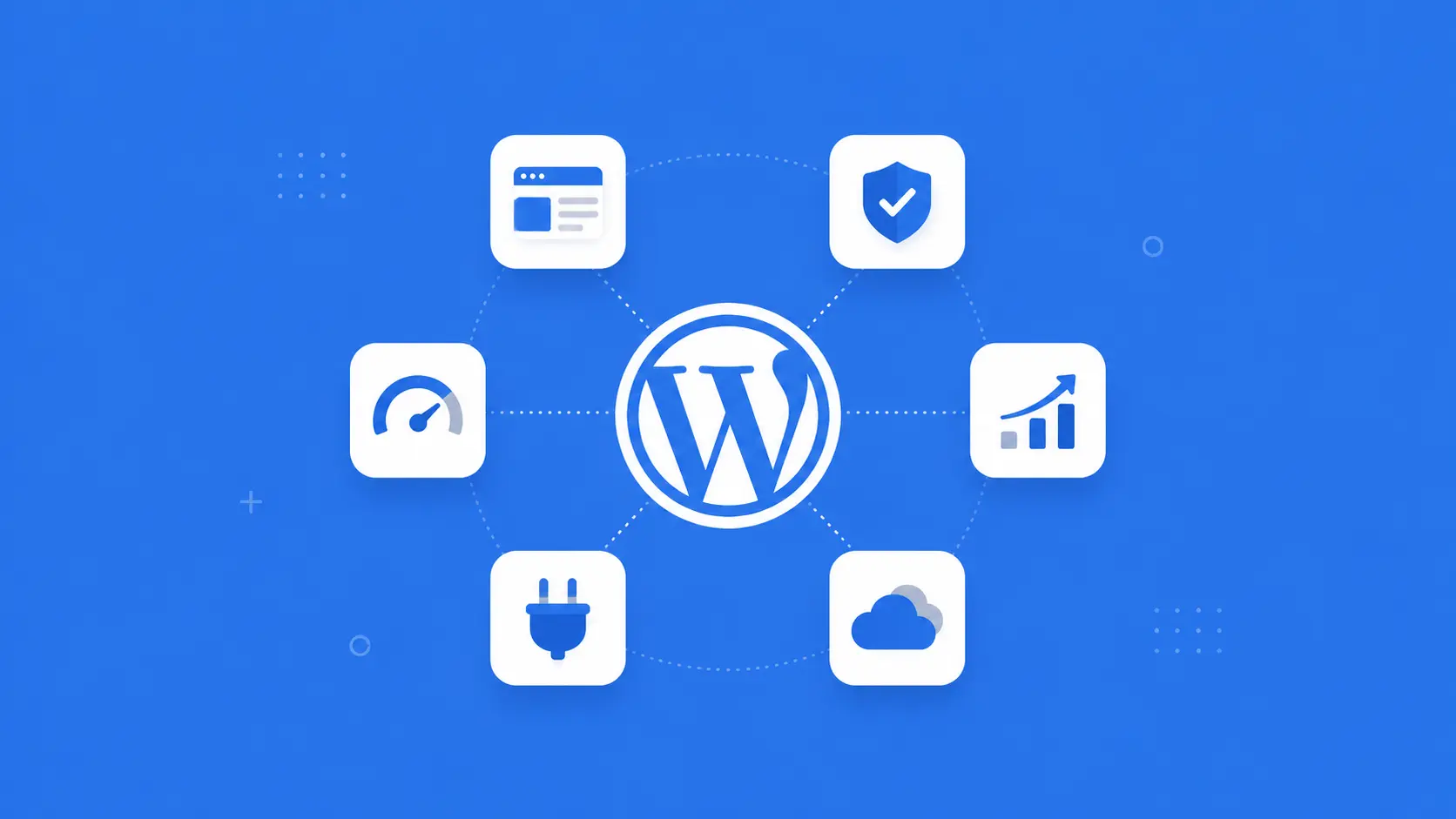
Your theme, hosting, and plugins directly affect how well your site converts. A bloated theme or cheap shared hosting can undo all the work you put into copy and design.
A typical conversion-focused WordPress setup includes:
- a lightweight theme (Astra, GeneratePress, Kadence, or a custom-built theme)
- a page builder or the native block editor
- a form plugin (Gravity Forms for complex setups, WPForms for simple lead gen)
- an SEO plugin like Rank Math
- Google Analytics (GA4) and Google Tag Manager integration
- a caching and performance plugin like WP Rocket
- security and backup tools
The goal is a stack that gives your marketing team enough flexibility to update pages, test CTAs, and publish content without needing a developer every time something changes.
The best WordPress plugins are the ones that solve a specific problem without adding bloat.
A note on page builders vs Gutenberg:
Tools like Elementor are great for DIY builds and rapid prototyping. But for sites where performance really matters, native Gutenberg with a well-built custom theme tends to be leaner, faster, and easier to maintain long-term.
6. Optimise for Speed and Mobile Responsiveness
A slow site or a poor mobile experience will cost you conversions, no matter how good your copy or design is. If your page takes longer than 2 to 3 seconds to load, most visitors won’t wait around to see what you’re offering.
On the speed side, there are a few things that make the biggest difference:
- choosing reliable managed hosting with servers close to your audience (not cheap shared hosting)
- compressing images and serving them in WebP format
- using a caching plugin like WP Rocket or LiteSpeed Cache
- setting up a CDN like Cloudflare
- keeping your plugin count lean because every extra plugin adds load time
At WP Creative, every site we build scores 95+ on Google PageSpeed Insights. For context, the average WordPress site sits around 50 to 60. That gap shows up directly in bounce rates and conversions.
On the mobile side, over half of your visitors are probably browsing on their phone. Don’t treat it as an afterthought. A few things worth checking to ensure you have a mobile-friendly site:
- do your CTA buttons work well on smaller screens
- are your form fields comfortable to tap on a phone
- does your intuitive navigation stay clean and usable on mobile
- have you tested on real devices, not just a desktop preview
If something feels clunky on mobile, your visitors will feel it too. A mobile-friendly experience isn’t optional anymore.
7. Build Trust Into Every Important Page
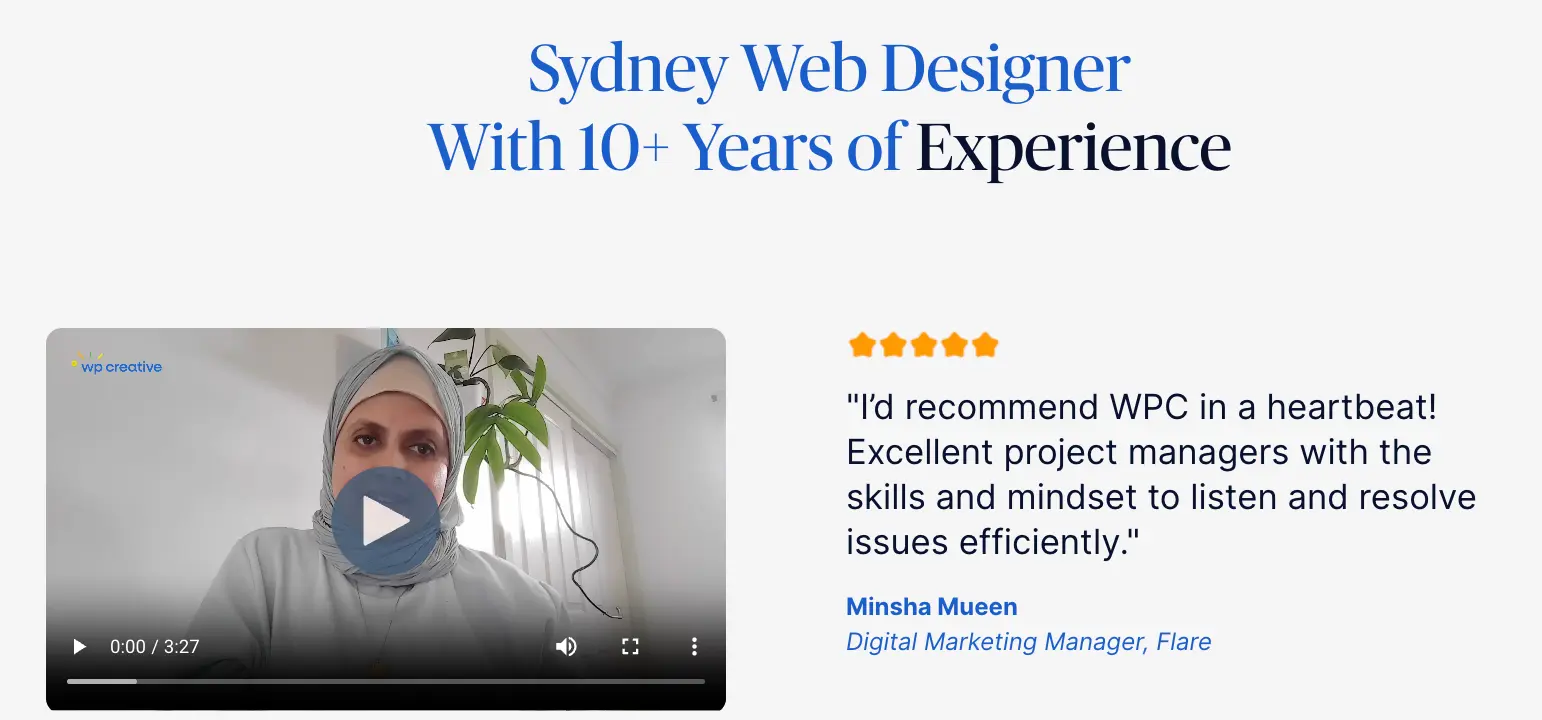
Visitors don’t convert on pages they don’t trust. You can have the best offer and the sharpest copy, but if there’s no proof behind it, people hesitate.
The most effective trust signals, ranked by impact:
- Real testimonials with full names and photos
- Case studies with specific numbers (“75% increase in leads” is more convincing than “our clients love working with us”)
- Live Google Reviews or third-party review scores
- Recognisable client logos
- Security indicators like SSL, a visible privacy policy, and your ABN displayed for Australian businesses
- Transparent contact information: phone number, physical address, and email. Not hidden behind a contact form.
Placement matters just as much as the signals themselves. Trust elements work best when they appear right after a claim or a call to action. A testimonial sitting next to a “Book a Call” button is doing real work. The same testimonial buried in the footer is doing almost nothing.
8. Track Everything
If you’re not tracking conversions properly, you’re guessing. And guessing doesn’t scale.
At a minimum, you should be tracking:
- GA4 events (form submissions, button clicks, scroll depth)
- call tracking
- heatmaps and session recordings
- campaign attribution
Pageviews alone won’t tell you much. What matters is knowing where your visitors came from, what they did on the page, and where they dropped off.
9. Test and Optimise Continuously
A high-converting site is never “finished.” The best-performing WordPress sites improve steadily over time through small, deliberate changes:
- testing different headlines or CTA text
- reducing the number of form fields
- improving page load speed
- refreshing offers and social proof
- adjusting layouts based on heatmap data
What keeps all of that from becoming overwhelming is having a simple rhythm:
- Weekly: Check your GA4 conversion events. Watch a handful of Clarity session recordings for your highest-traffic pages.
- Monthly: Run one A/B test. Change the CTA copy, swap a hero image, or shorten a form.
- Quarterly: Do a full conversion audit. Update your testimonials and case studies. Review any content that might have gone stale.
You don’t need to change everything at once. One improvement per month compounds faster than most people expect. Consistent conversion rate optimisation is what drives long-term business growth.
10. Build for AI-Referred Traffic
In 2026, more and more visitors are arriving at websites through AI assistants like ChatGPT, Perplexity, and Google AI Overviews. That traffic behaves differently from traditional search, and it’s worth building for.
A few things you can do to build for AI-referred traffic:
- Write in clear, self-contained paragraphs. AI models pull these as citations, and visitors who click through expect to find exactly what was referenced.
- Add structured data like FAQ schema and LocalBusiness schema so AI can read and cite your content accurately.
- Track AI referral traffic in GA4 by filtering referrals from chatgpt.com, perplexity.ai, and gemini.google.com.
Building for AI traffic won’t replace your organic search strategy. But it’s an additional channel that’s growing fast, and the sites that build for it now will have an early advantage.
Key Comparison: High Converting Websites vs Low Converting Websites
Not every WordPress site is built with conversions in mind. The table below breaks down the key differences between sites that consistently turn visitors into leads and those that underperform.
| Feature | High-Converting | Low-Converting |
|---|---|---|
| Conversion goal | One clear goal per page | Vague or competing goals |
| Page structure | Deliberate section sequence | Random layout |
| Page load speed | Under 2 seconds | 4+ seconds |
| CTAs | Clear, prominent, repeated | Hidden or generic |
| Mobile experience | Designed mobile-first | Desktop afterthought |
| Trust signals | Specific proof near every claim | Generic or missing |
| Forms | Short, multi-step, smart fields | Long, single-step, “Submit” |
| Lead routing | CRM, tagging, autoresponders | Emails to a shared inbox |
| Tracking | GA4 events + Clarity + GSC | Pageviews only |
| Optimisation | Weekly/monthly/quarterly | Set and forget |
How to Choose a Conversion-Focused WordPress Agency
Most WordPress agencies build good-looking websites. Fewer build ones that actually convert. If your goal is a site that generates leads and revenue, there are a few things worth looking for before you sign on.

What to look for:
- A process that starts with goals, not design
The right agency will ask about your conversion goals, your audience, and your sales process before they show you layouts or mockups. If the first conversation is about colours and fonts, that’s a red flag. - Performance benchmarks, not just portfolios
Ask what PageSpeed scores their sites typically achieve. Ask about conversion rates. A portfolio of pretty screenshots doesn’t tell you whether those sites actually perform. - CRO and tracking built into the build, not bolted on later
GA4, heatmaps, form tracking, and CRM integration should be part of the project scope from day one, not an afterthought or an upsell. - Ongoing optimisation, not just a launch
A good agency will offer a post-launch plan for testing, monitoring, and improving. If the relationship ends at launch, so does your conversion growth. - A team that understands both marketing and development
The best conversion-focused agencies sit at the intersection of marketing strategy and technical execution. They understand why a CTA needs to be in a certain position, not just how to build it there.
At WP Creative, we call our team Marketechs for exactly that reason. Every build starts with your business goals and ends with a site that’s set up to track, test, and improve from the day it goes live.
Final Thoughts
A high-converting WordPress website is built on architecture, not aesthetics. Clear goals, deliberate page structure, trust signals in the right places, fast website performance, and a rhythm of testing and improvement are what lead to high conversion rates, not a flashy redesign.
If your WordPress site isn’t generating more leads or enquiries than it should be, we can help. WP Creative has been delivering conversion-focused WordPress websites for businesses across Australia for over 12 years. Whether you need WordPress development, a WordPress website migration, or ongoing maintenance and support, we’ve got you covered.
Book your free audit and let’s see what your site could be doing better.
FAQs About High-Converting WordPress Site
What is a high-converting WordPress website?
A high-converting WordPress website is one that consistently turns visitors into leads, enquiries, or customers. Rather than just attracting traffic, it’s designed to guide people towards a specific action on every page, whether that’s filling out a form, making a call, or completing a purchase.
How does WordPress support conversion rate optimisation?
WordPress supports conversion rate optimisation through its flexible plugin ecosystem. You can add form builders, A/B testing tools, analytics, and marketing automation without heavy development costs. Your marketing team can update pages, test new CTAs, and publish content without needing a developer for every change.
Which WordPress theme is best for conversions?
Lightweight, performance-focused themes like Astra, GeneratePress, and Kadence are best for conversions. They load quickly, score well on Core Web Vitals, and offer enough flexibility to build conversion-focused layouts. Avoid bloated multipurpose themes that come packed with features you’ll never use.
How does page speed affect conversions?
Page speed directly affects conversions because slow pages increase bounce rates and reduce the number of visitors who complete an action. A one-second delay beyond 2 seconds can measurably reduce conversions. Investing in website performance optimisation through image compression, caching plugins, code optimisation, and reliable hosting is one of the fastest ways to improve site speed and user experience.
What plugins improve WordPress conversion rates?
The plugins that improve WordPress conversion rates include:
- Gravity Forms or WPForms for lead capture
- WP Rocket for speed
- Rank Math for SEO
- MonsterInsights for tracking
Microsoft Clarity is also worth setting up for free heatmaps and session recordings. Keep your total plugin count low for better performance.
How do I track conversions on WordPress?
You can track conversions on WordPress by setting up:
- GA4 with form submissions, button clicks, and scroll depth configured as conversion events
- Microsoft Clarity for free heatmaps and session recordings
- Google Search Console to check whether the right queries are bringing traffic to your conversion pages
Should I use a page builder or a custom theme for conversions?
Page builders like Elementor work well for DIY builds and quick prototyping. For performance-critical sites, native Gutenberg with a custom theme tends to be leaner, faster, and easier to maintain long-term. Your choice depends on how much control your team needs and how important page speed is to your goals.
How often should I optimise my site for conversions?
You should optimise your site for conversions on an ongoing basis, not as a one-off project. A good cadence is:
- weekly check-ins on your GA4 data
- monthly A/B tests on one element, like a CTA or form
- quarterly full audit to refresh testimonials, content, and offers

Get Your Free Website Audit
($3,000 Value)
- Uncover performance issues
- Identify SEO opportunities
- Security gaps, and quick wins